FFIEC Account Setup Instructions
Important
Authentication Migration Notice (Effective August 25, 2025)
The FFIEC CDR is transitioning to Microsoft Entra ID authentication with optional multifactor authentication (MFA). All users must complete a registration process to migrate their accounts to the new authentication protocol.
Legacy SOAP API will remain available until February 28, 2026
All legacy security tokens will expire on February 28, 2026
Users must transition to the REST API before this date
Prerequisites for ffiec_data_connect package
The ffiec_data_connect package supports two authentication methods:
1. REST API (Recommended - Modern OAuth2/JWT)
Starting August 25, 2025, the FFIEC uses JSON Web Tokens (JWT) for authentication:
JWT tokens begin with
eyand end with.Tokens expire every 90 days and must be regenerated
The token is NOT your account password - it must be generated separately
REST API specifications available at:
https://cdr.ffiec.gov/public/Files/SIS611_-_Retrieve_Public_Data_via_Web_Service.pdf
2. SOAP API (Legacy - Deprecated February 28, 2026)
The legacy SOAP API remains available for backward compatibility but will be discontinued.
Account Creation and Setup
New Users
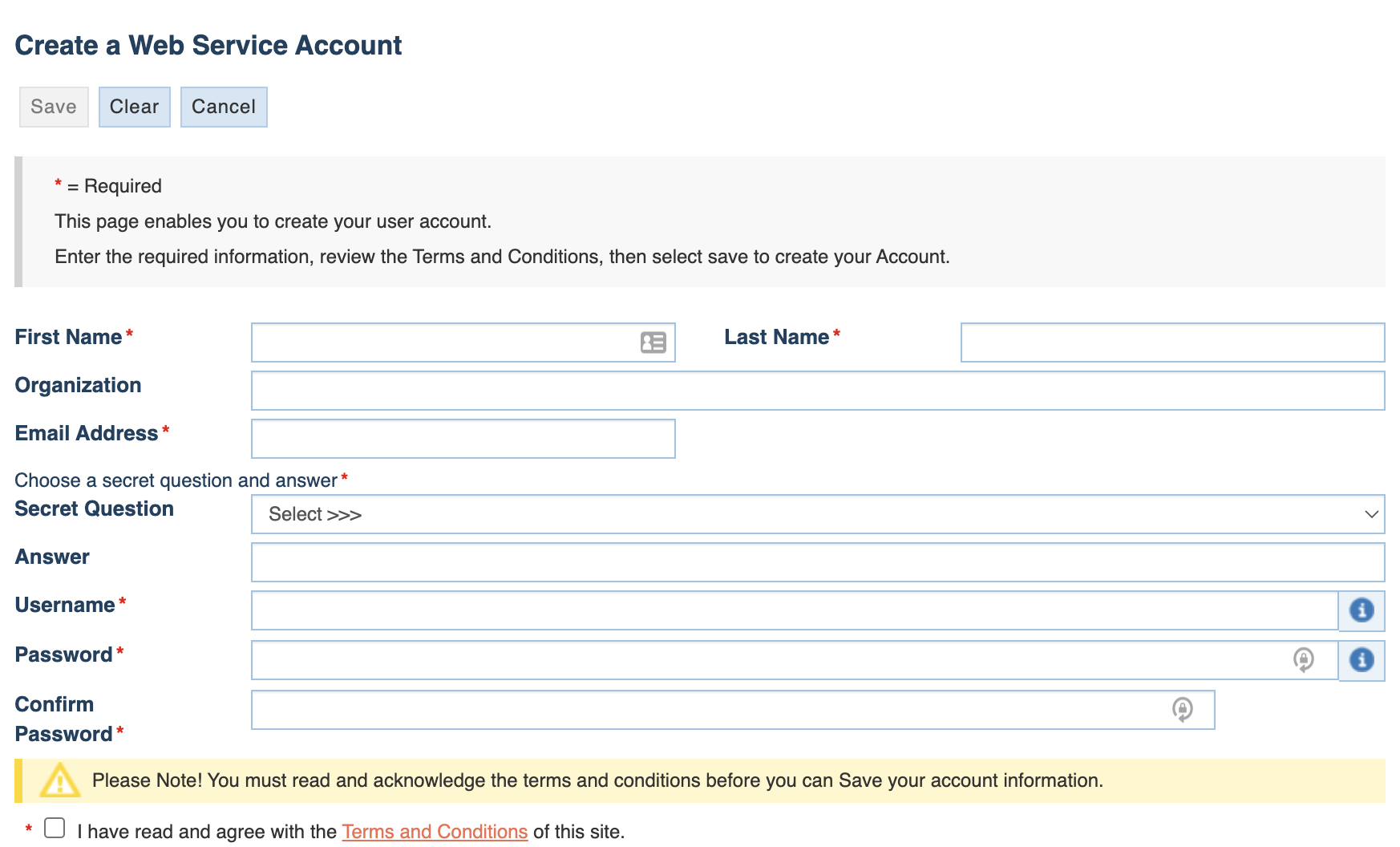
Create FFIEC Account
Note
No separate Microsoft account required! The FFIEC registration process will create the necessary Microsoft Entra ID authentication for you.
Visit: https://cdr.ffiec.gov/public/PWS/CreateAccount.aspx?PWS=true
Complete the registration fields
You’ll receive an invitation email from
invites@microsoft.comAccept the invitation and complete the Microsoft Entra ID registration process
Warning
Callback Link Issues
After completing Microsoft verification, the callback link may not work properly. If you encounter an error or blank page, manually navigate to: https://cdr.ffiec.gov/public/PWS/PublicLogin.aspx
Generate JWT Token
Log into your CDR PWS account at https://cdr.ffiec.gov/public/PWS/PublicLogin.aspx
Navigate to token generation section
Generate a new JWT token (valid for 90 days)
Important: The JWT token is what you use in the API, NOT your login password
Existing Users - Migration Process
Starting August 25, 2025, existing users must migrate:
Receive Migration Email
You’ll receive an invitation from
invites@microsoft.comThis email contains a link to accept the migration
Complete Migration
Click the link in the invitation email
Follow instructions at: https://cdr.ffiec.gov/public/Files/CDR_Public_User_Migration_Instructions.PDF
Complete the Microsoft Entra ID registration
Warning
Callback Link Issues
After completing Microsoft verification, the callback link may not work properly. If you encounter an error or blank page, manually navigate to: https://cdr.ffiec.gov/public/PWS/PublicLogin.aspx
Generate New Token
Warning
After migration, you MUST generate a new JWT token. The new tokens are longer than previous tokens.
Log into your migrated account
Generate a new JWT token
Update your code with the new token
Migration Issues
If migration fails:
Try the migration process again
If it continues to fail, create a new account following the “New Users” process
Contact CDR Help Desk: cdr.help@cdr.ffiec.gov
Using Credentials in Code
REST API (JWT Token) - Recommended
from ffiec_data_connect import OAuth2Credentials
from datetime import datetime, timedelta

# JWT tokens start with 'ey' and end with '.'
# Example: eyJhbGciOiJub25lIiwidHlwIjoiSldUIn0...YXVkIjoiUFdTIFVzZXIifQ.

creds = OAuth2Credentials(
    username="your_username",  # Your CDR account username
    bearer_token="eyJhbGci...",  # JWT token from CDR PWS portal (NOT your password!)
    token_expires=datetime.now() + timedelta(days=90)  # Tokens expire after 90 days
)

# Use with REST API (no session needed)
import ffiec_data_connect as fdc

data = fdc.collect_data(
    session=None,  # None for REST
    creds=creds,
    rssd_id="37",
    reporting_period="2024-09-30",
    series="call"
)
SOAP API (Legacy - Deprecated)
Warning
SOAP API will be discontinued on February 28, 2026. Please migrate to REST API.
from ffiec_data_connect import WebserviceCredentials, FFIECConnection

# Legacy SOAP credentials
creds = WebserviceCredentials(
    username="your_username",
    password="your_password"  # Account password (not JWT token)
)

conn = FFIECConnection()

# Use with SOAP API
import ffiec_data_connect as fdc

data = fdc.collect_data(
    session=conn,  # Connection object for SOAP
    creds=creds,
    rssd_id="37",
    reporting_period="6/30/2024",  # SOAP uses MM/DD/YYYY format
    series="call"
)
Important Notes
Caution
Common Authentication Mistakes
Using password instead of JWT token: The REST API requires the JWT token generated from the portal, NOT your account password
Token expiration: JWT tokens expire after 90 days - set up reminders to regenerate
Token format: Valid JWT tokens always start with
eyand end with.Migration required: After account migration, old tokens become invalid - generate new ones immediately
Token Management Best Practices
Store tokens securely (use environment variables or secret management systems)
Never commit tokens to version control
Implement token refresh logic before expiration
Monitor token expiration dates in production systems
Additional Resources
What’s New: https://cdr.ffiec.gov/public/HelpFileContainers/WhatsNew.aspx
FAQs: https://cdr.ffiec.gov/public/HelpFileContainers/FAQ.aspx
Help Desk: cdr.help@cdr.ffiec.gov
Official REST API Specifications (PDF):
https://cdr.ffiec.gov/public/Files/SIS611_-_Retrieve_Public_Data_via_Web_Service.pdfMigration Instructions: https://cdr.ffiec.gov/public/Files/CDR_Public_User_Migration_Instructions.PDF
Reverse-Engineered OpenAPI Schema: REST API Reference (see our unofficial but validated OpenAPI specification)
Tip
REST API Documentation
While the official FFIEC documentation provides the authoritative reference, we’ve created a reverse-engineered OpenAPI specification based on extensive testing. This specification:
Documents actual API behavior including quirks and non-standard patterns
Provides complete request/response schemas
Available at: REST API Reference
Raw YAML file:
docs/ffiec_rest_api_openapi.yamlin the repository